
Depth of Field in Viewpoints, Expanded DXF Support & Student License
Version 4.0.48671 · May 6, 2026 · All Users
VORTEK Spaces’s early May update introduces new depth-of-field controls directly in viewpoints, expanded .dxf support for legacy 2020 Design exports, and a new student license program. This update also delivers important stability and reliability improvements across video animations, imports, and project reload.
What’s New in VORTEK Spaces?
| Area | What Changed |
|---|---|
| 🎬 Viewpoint Customization | Depth of field can now be defined per video viewpoint. |
| 👤 Student License Program | New student license available through partner educational institutions. |
| 📥 DXF Import | Support for legacy .dxf exports from older 2020 Design versions. |
| ⚙️ Improved Import System | Improved handling of curved geometry and optimized .glb imports. |
| 🐛 Bug Fixes and Improvements | Improved stability across video animations, imports, and project reload. |
Depth of Field in Video Viewpoints
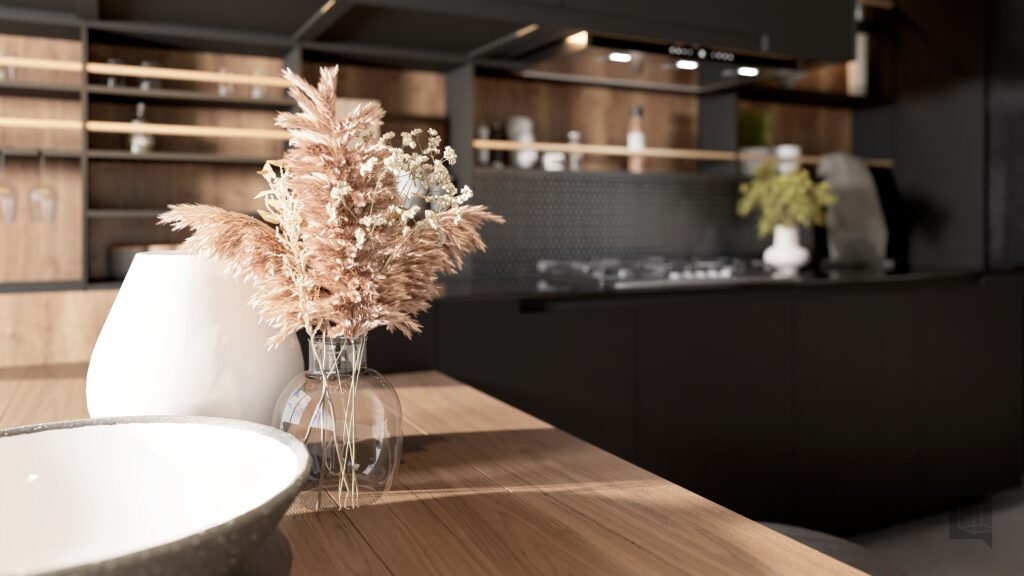
You can now control depth of field directly from your video viewpoints — no workaround required. Right-click any viewpoint, select Depth of Field, and define the focus distance and blur intensity for that specific moment in your walkthrough.
During recording, blur transitions smoothly from one viewpoint to the next based on each viewpoint’s settings. The result is a more cinematic, professional video experience without any post-production editing.
This feature is perfect for designers and woodworkers creating client walkthrough videos, especially when highlighting focal elements such as custom islands, cabinet walls, or built-in storage systems.
What Is the New Student License?
A dedicated student license is now available through select partner educational institutions. Students gain access to most VORTEK Spaces features for coursework and academic projects.
- The license is provided through partner school agreements.
- A “Student Version” banner is displayed in the application, including during video recording.
- For this license, the VORTEK Spaces branding cannot be removed from videos.
What Import Improvements Are Included?
Improved Import System
- Cabinet Vision: Curved shapes and arches now render and fill correctly.
- 2020 Design: Legacy versions of
.dxfexports are now supported. - .glb files: Import performance has been optimized.
.vokpkg Import Reliability
Shared library items from “My Models” or “My Materials” now load faster when importing .vokpkg files. An issue preventing some shared assets from being added has also been fixed.
How Have Video Animations Improved?
Some improvements have been made to improve the in-app video editing process for users creating creating multi-step video walkthroughs and demos:
- Chained animations now play more smoothly and reliably.
- Resolved an issue causing certain models to shift position when saving projects with video animations.
Other Fixes & Improvements
- Resolved a critical issue affecting project reassociation with CAD source files.
- Improved clarity of offline connection notifications.
- Fixed auto-login issues related to uppercase account names.
- Animated ceiling fan models now cast moving shadows.
- Other fixes: lighting properties saving, square brand image display,
.exrbackground previews, brand intro and outro updates, and overall stability improvements.
Frequently Asked Questions
How does depth of field work?
Right-click a viewpoint, select Depth of Field, and define focus distance and blur intensity. Transitions occur automatically during video recording.
Who qualifies for the student license?
Students enrolled in partner educational institutions. For further information, contact us directly.
Can I import DXF files from older 2020 Design versions?
Yes. Legacy .dxf exports from older 2020 Design versions are now supported.
Can I try VORTEK Spaces for free?
Yes. VORTEK Spaces offers a free trial — no credit card required. Start your free trial →
How do I update to VORTEK Spaces?
Download the latest version directly from your VORTEK Spaces application, or check for updates on the VORTEK Spaces Microsoft Store page.
Get the Latest Version
Start your free 14-day trial — no credit card required →
Already a subscriber? See all plans and pricing → · Watch video tutorials →