
SketchUp Rendering Software for Kitchen, Bath and Closet Designers
VORTEK Spaces is 3D rendering software for SketchUp made for kitchen, bath, closet and cabinet designers. Bring in your SketchUp model and turn it into photorealistic images, walkthrough videos and VR presentations, all in real time.
Open the SketchUp file directly. Then apply finishes from more than 4,000 hi-res materials from popular brands, add furniture and decor, set the lighting, and export for your client. There’s no render queue. Every change to a material, a light or a camera shows up as you make it.
No need to be a rendering expert. A live onboarding session with our team gets you presenting quickly.

Quick facts
Opens your .skp file
SketchUp 2021 to the latest version. Materials, geometry and groups/components come in directly.

Windows and Mac
Runs on Windows and, as a BETA, on Apple Silicon Macs. Final Mac build Q4 2026 (details).

A library built for interiors
+4,000 hi-res materials, +14,000 proprietary 3D models and a 41,000-asset Wayfair library.

Images, videos and VR
Photorealistic images and walkthrough videos. VR with the VR Experience add-on.

A real person to get you started
A live onboarding session with our team, then unlimited live support.

From SketchUp to Stunning 3D Presentation
Watch a SketchUp kitchen go from model to finished presentation in VORTEK Spaces.

Step-by-step written guide: how to import a SketchUp file into VORTEK Spaces.
How to render a SketchUp model in VORTEK Spaces
Before you start: sign up for the Free 14-day trial. You’ll get an email with the download link and another to set your password. On Windows, VORTEK Spaces installs from the Microsoft Store. On a Mac with Apple Silicon, install the macOS BETA: the 14-day free trial works there too.
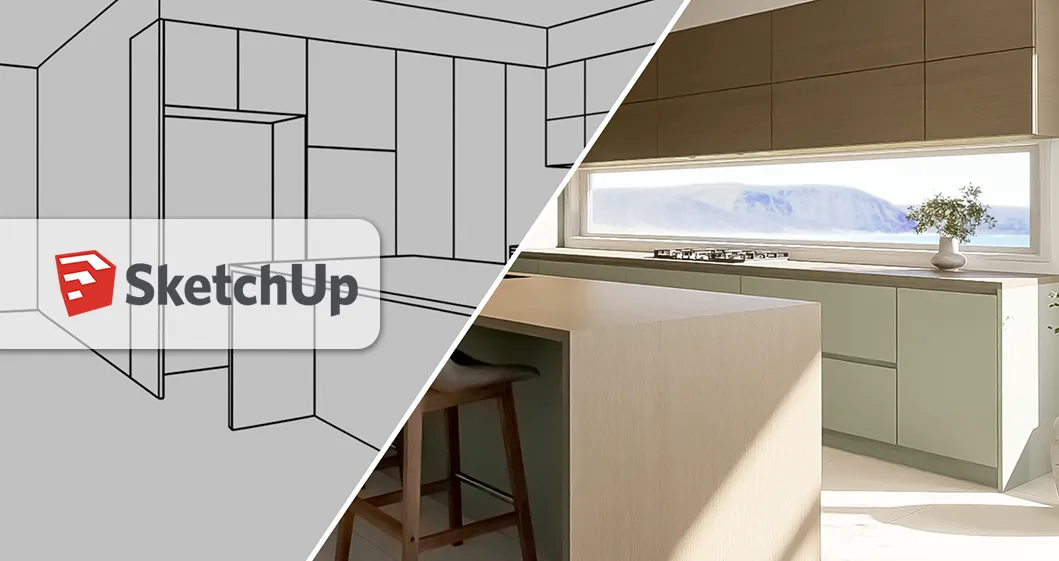
1. Open your SketchUp file
Open the .skp file directly in VORTEK Spaces. Your SketchUp materials, geometry and groups/components come in with it.
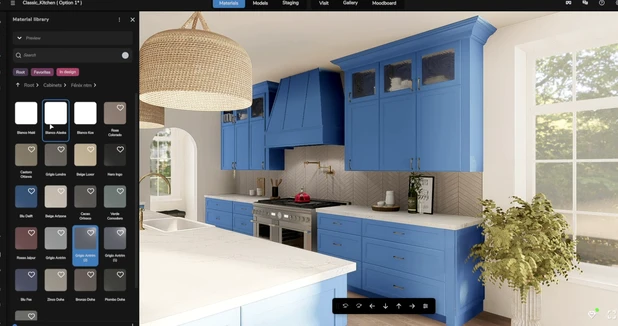
2. Apply materials, models and lighting
Pick cabinet, countertop, floor and wall finishes, add furniture and decor, and adjust the lights with a live preview.
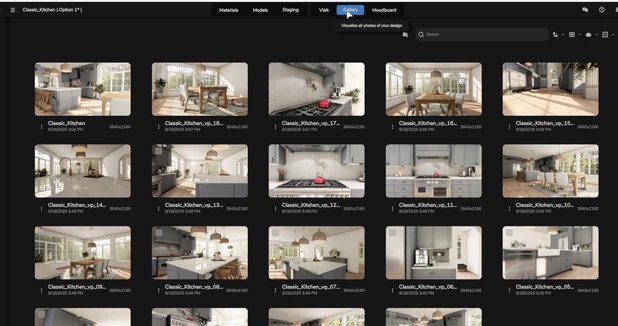
3. Create images and videos
Set your viewpoints, save high-resolution images, and build a walkthrough video to send to your client.
Your live onboarding session walks you through these steps on your own project. Step-by-step videos are in the Quick Start Guide and the tutorials.
When the SketchUp design changes
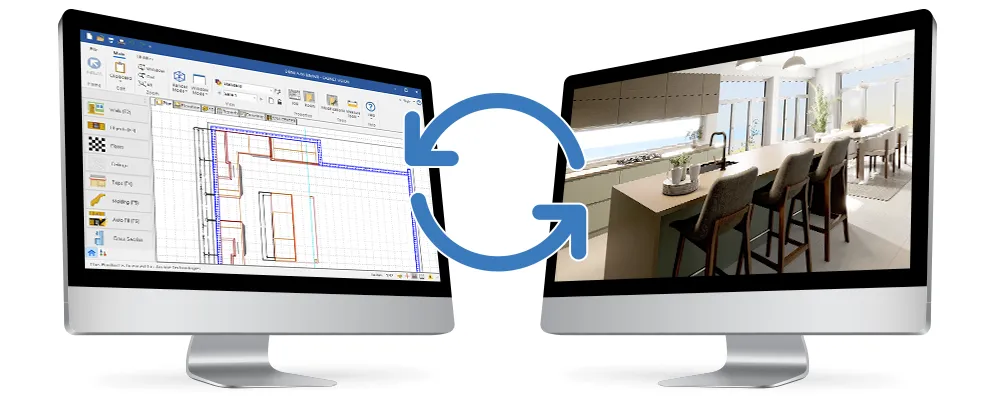
Clients change their minds. When they do, update the design in SketchUp and save. With a direct .skp import, VORTEK Spaces picks up the changes automatically, the same way it does for the other CAD software it works with. The materials, 3D models and lighting you already set stay where they are. You don’t start the presentation over.
What you can do with your SketchUp project
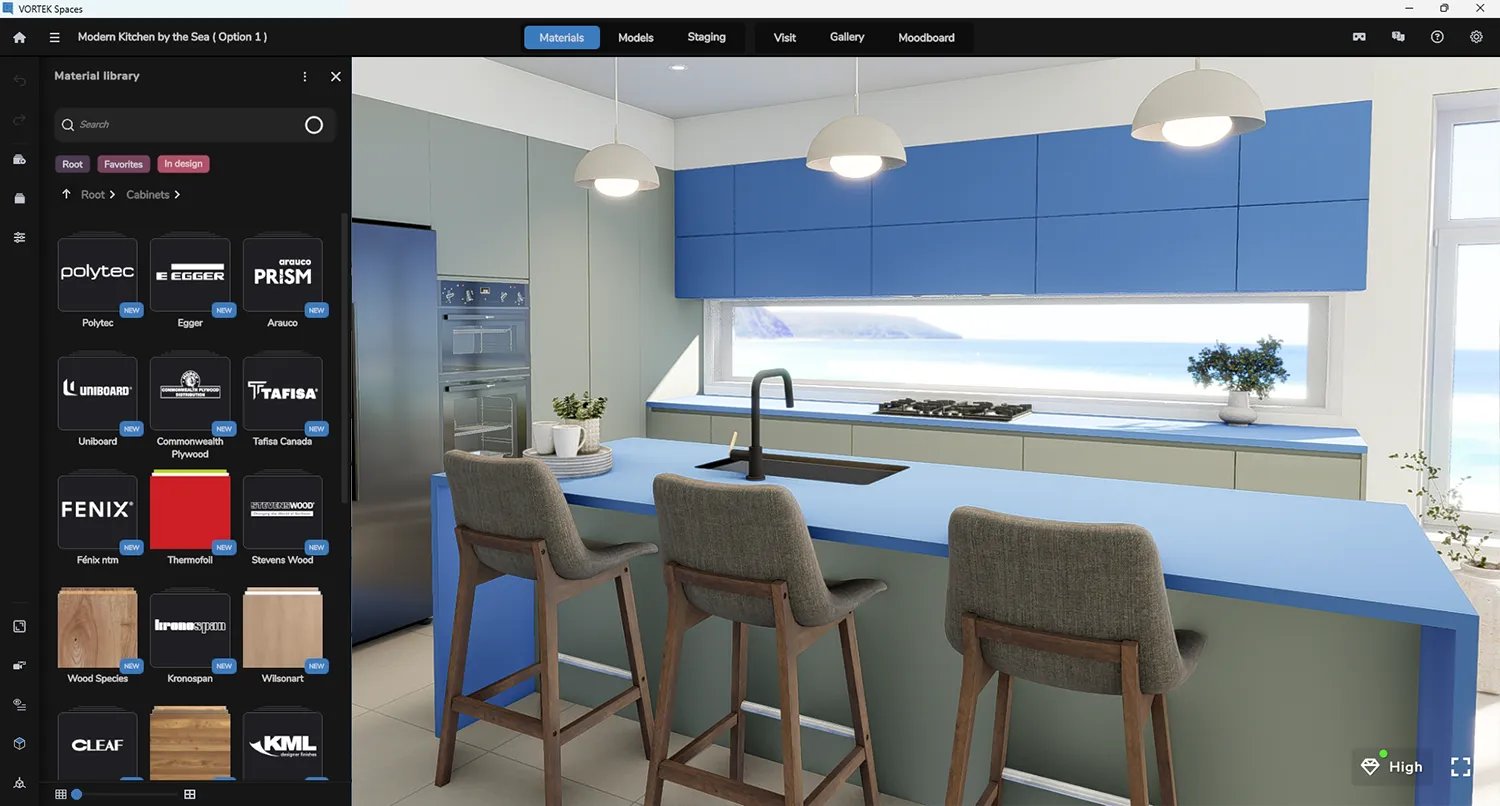
Finishes from real suppliers
Appliances, furniture and staging
Lighting you can see as you set it
Walkthrough videos for the reveal
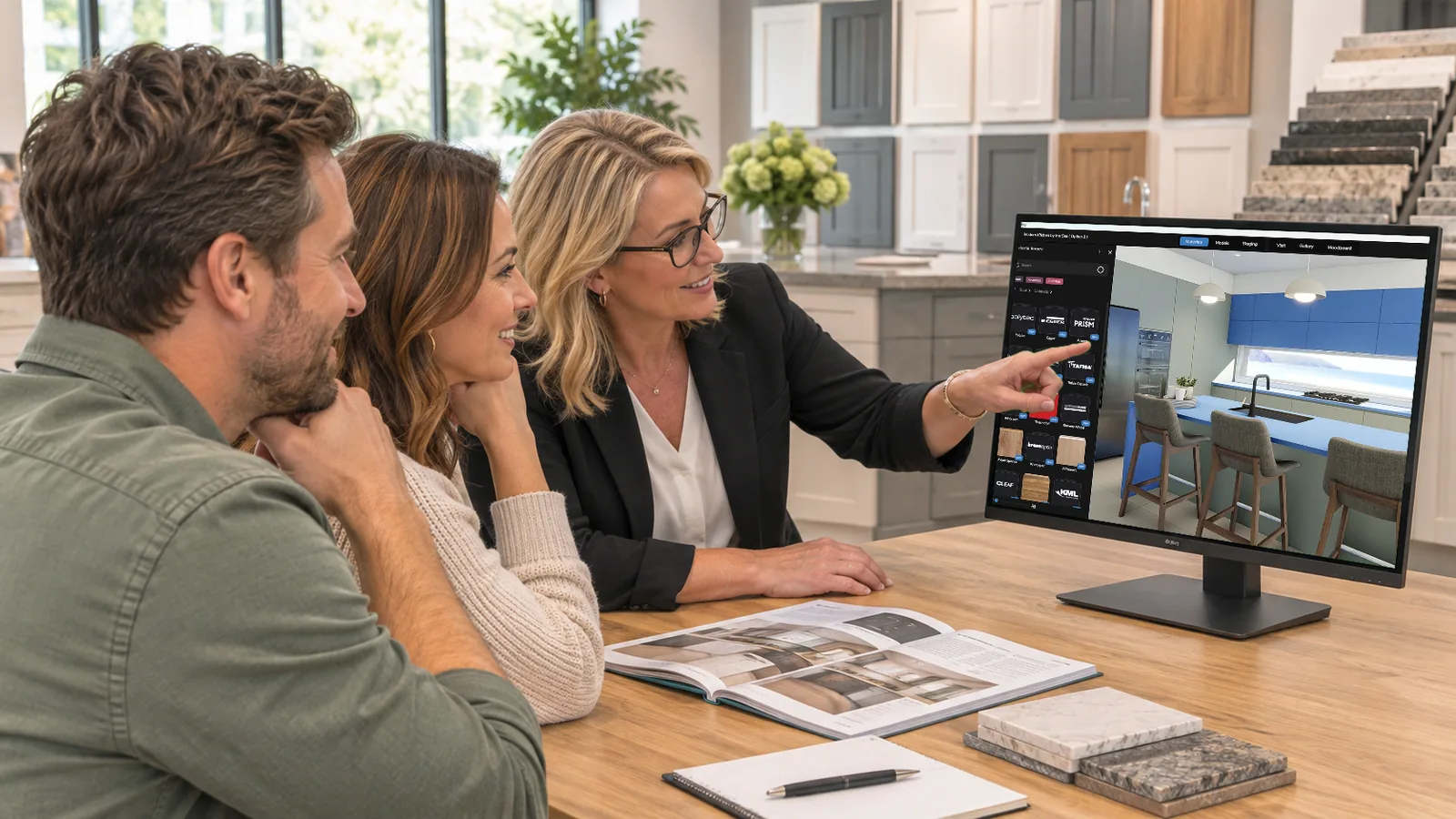
Changes during the client meeting
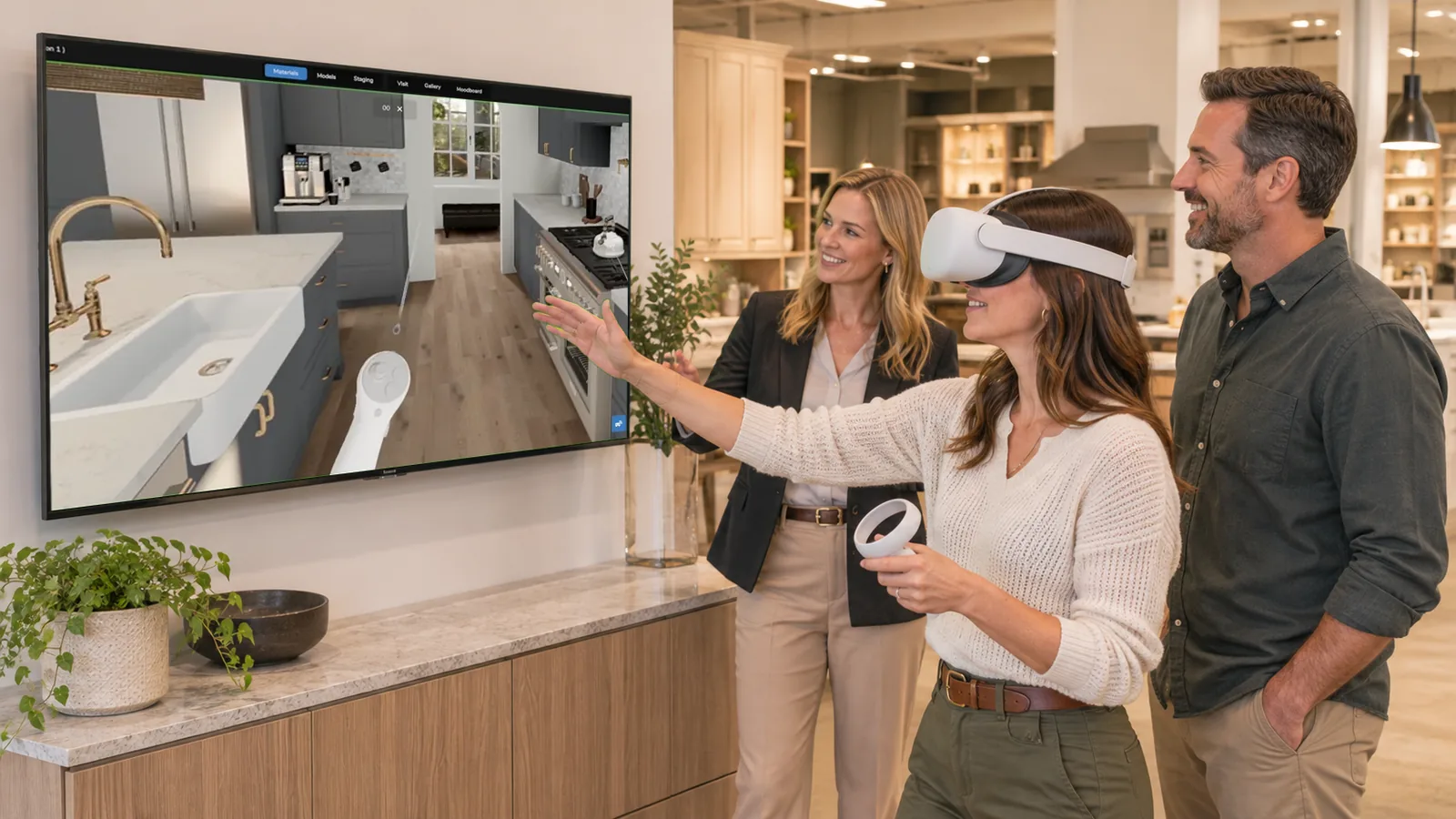
VR for the showroom
See what other users are saying!

“Every job that we have taken the time to generate a virtual walkthru using VORTEK Spaces, we have sold the job.”
Taghkanic Woodworking, USA
Is VORTEK Spaces the right SketchUp renderer for you?
Most SketchUp rendering tools are built for architects, and many run as plugins inside the SketchUp window. VORTEK Spaces works differently. It’s a separate application that opens your SketchUp file directly, and its library and tools are set up for cabinetry, countertops and interior finishes.
VORTEK Spaces is a good fit if:
- You design kitchens, baths, closets or cabinets in SketchUp (or in Mozaik)
- You present to homeowners and want walkthrough videos or VR, not only still images
- You’d rather pick brand-name finishes than build materials and tune render settings
It may not be the right tool if:
- Most of your work is exteriors, landscaping or architectural competition boards
- You need concept or mood images more than a faithful presentation of a project you will build and deliver, with real materials and custom cabinetry
Includes Free Materials From Well-Known Suppliers









Try it on a SketchUp project you’re working on now
Create stunning 3D presentations in minutes. No need to be a rendering expert!
Frequently Asked Questions
Can I open SketchUp (.skp) files directly?
Yes. Open the .skp file directly in VORTEK Spaces. Your SketchUp materials, geometry and groups/components come in, and changes to the model are picked up automatically. The Quick Start Guide shows how.
Which versions of SketchUp work with VORTEK Spaces?
SketchUp 2021 through the latest version. Files from older versions (2013 to 2020) should open, but we haven’t tested them.
Does VORTEK Spaces work on Mac?
Yes. A BETA for Apple Silicon Macs (M1 to M4, macOS 14 or newer) is available now, and the final Mac build ships Q4 2026. As on Windows, you can try it free for 14 days. On a Mac, SketchUp files open natively. VORTEK Spaces subscribers get the Windows version as well as the macOS BETA, with the same subscriptions and pricing. See VORTEK Spaces for Mac.
Do I have to redo my materials and lighting when the SketchUp model changes?
No. With a direct .skp import, VORTEK Spaces picks up the changes automatically. The materials, 3D models and lighting you set stay in place.
Can I use my own textures and SketchUp 3D Warehouse models?
Yes. You can import your own materials, and bring in 3D models from SketchUp’s 3D Warehouse alongside the VORTEK Spaces library. Materials you applied in SketchUp come in with a direct .skp import.
I design in Mozaik. Does this page apply to me?
Yes. On Windows, VORTEK Spaces reads Mozaik projects directly, and it can also open .skp files if you need to. See the Mozaik page.
Is it hard to learn?
No. You don’t need to be a rendering expert. Every subscription starts with a live onboarding session with our team, on your own project, and live support is unlimited after that.
Is there training for SketchUp users?
Yes. The “Efficient Modeling with SketchUp” course covers grouping objects and choosing textures and materials so your models come into VORTEK Spaces cleanly. See the course.
What does VORTEK Spaces cost?
Try the full software free for 14 days. The trial gives you full access to all features. No credit card needed. After that, see plans and add-ons. Add-ons: VR Experience, custom video and picture branding, and training by the hour. Your license is floating, so you can install it on several computers. The number of seats sets how many people can use it at the same time.
How can I import my design into VORTEK Spaces?
Importing your model into VORTEK Spaces is quick and easy. For step-by-step instructions, check out our Quick Start Guide, which includes detailed videos on importing from various software platforms.
What are the minimum system requirements to run the software?
| Minimum | Recommended | ||
|---|---|---|---|
| Operating System | Windows 10 or Windows 11 | Windows 11 | Find out your Windows version |
| Graphics Card (GPU) | Benchmark score of 2500 (e.g. Intel Iris / AMD Ryzen 7 / GTX 900) | Benchmark score of 10 000 or better (dedicated GPU e.g. (Nvidia GeForce GTX 1060 / AMD RX 580 or better) DirectX 12-capable hardware | Find out your GPU benchmark score here |
| System Memory (RAM) | 8GB | 16GB or more | |
| Processor (CPU) | Benchmark score of 1900 | Benchmark score of 2200 or higher | Find out your CPU benchmark score here |
| Storage | 15 GB of free disk space | 15 GB of free disk space | |
Notes on system requirements
- Recommended for 4K screens: For smooth, high-quality 3D interactions, we recommend a graphics card with a benchmark score of at least 19,500
(e.g., NVIDIA RTX 2080 or better). - Video rendering: Exporting 2K or 4K videos requires at least 6 GB of dedicated video memory (VRAM).
- Lower-end systems: VORTEK Spaces may still run on computers below the minimum requirements, but performance and user experience could be limited.
- Mac users: A BETA of VORTEK Spaces for macOS, built natively for Apple Silicon, is available now, and the final Mac build ships Q4 2026. As on Windows, you can try it free for 14 days. Subscribers get the Windows version as well as the macOS BETA, with the same subscriptions and pricing. See VORTEK Spaces for Mac.
Buying a new computer? Contact our support team and we’ll be happy to recommend configurations tailored for VORTEK Spaces.
What 3D file formats are supported?
VORTEK Spaces supports the following 3D file formats:
- VOK
- DXF
- COLLADA (.dae)
- glTF (.glb)
- .igs
- .stp
Looking to export in a different format? Contact our Technical Support team to see if there’s a workaround or conversion option available.
How does the sync with cabinetry software work?
When you make changes in your cabinetry software, simply re-exporting your design to VORTEK Spaces will automatically update your model—there’s no need to start from scratch. All your VORTEK Spaces design elements will remain intact, and your updates will be reflected seamlessly. This allows for smooth iterations without losing any work already done.
How do I get started?
To get started, simply sign up for a Free 14-day trial and gain full access to all the features of VORTEK Spaces!
During your trial, you can explore the software and use our Quick Start Guide to help you get set up. You can also visit our Resources page for video tutorials to guide you through the process.
Need More Information?

Contact Sales
Get in touch with our sales team to discuss your needs and find the right plan for you.