
Mozaik Improvements, Smoother Day/Night Animation & More
Version 4.0.46306 · February 4, 2026 · All Users
VORTEK Spaces’s February 4th update delivers quality-of-life improvements for cabinet makers and designers. Highlights include improved Mozaik file import with right-click access, smoother day/night animations with a 10-second default duration, and new video recording controls.
Multiple rendering and workflow issues across Cabinet Vision, Imos, and PYTHA project integrations have also been resolved.
What’s New in VORTEK Spaces?
| Area | What Changed |
|---|---|
| ⚙️ Mozaik Support | Import Mozaik projects in one click from the projects page. Expanded support for piercers, moldings, and appliance imports. |
| 🌗 Day/Night Animation | Smoother reflections, a 10-second default duration, and a minimum sun temperature of 2000K. |
| 🎬 Video Recording | New viewpoint shortcuts and better reflection probe positioning. |
| 🐛 Bug Fixes and Improvements | Fixes for camera drift, Cabinet Vision light duplication, round mirror rendering, and more. |
How Does the Mozaik Integration Work Now?
Mozaik support in VORTEK Spaces has been meaningfully improved since its initial release. You can now right-click the import tile on the projects page to directly import a Mozaik .des file, without additional navigation.
When importing a Mozaik project, VORTEK Spaces automatically finds and displays all Mozaik projects found in your software’s working directory, helping you spend less time browsing and more time designing.
This update also improves the fidelity and stability of Mozaik projects imported in VORTEK. Piercer models such as sinks or curved counters, as well as moldings, and appliances should now be correctly displayed.
Smoother Day/Night Animation
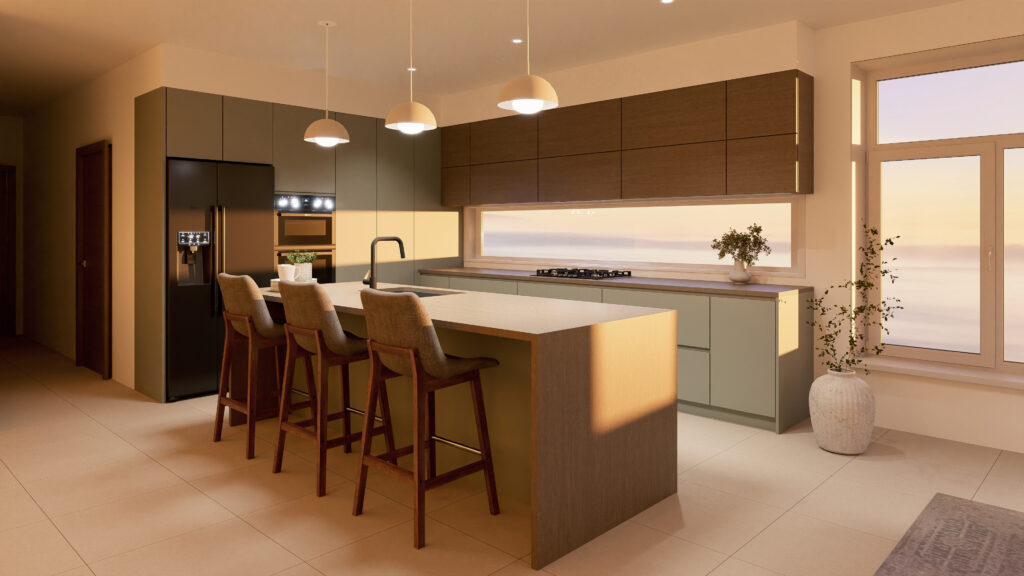
The day/night animation, accessed by right-clicking the + besides a viewpoint, now displays smoother reflections across metallic surfaces and mirrors, reducing visual artifacts as lighting transitions from day to night.
The default animation duration has been extended to 10 seconds, bringing smoother and higher quality renders when you want to showcase how a space feels under different lighting conditions.
The minimum sun color temperature has also been lowered to 2000K, enabling warmer and more dramatic evening or sunset renders.
⚠️ Notice:
The option to add new sun animations has been removed. Existing sun animations are preserved, but new ones can no longer be added. we now recommend using the day/night animation as the standard approach for dynamic lighting.
What’s New for Video Recording Controls?
- Viewpoint list button: Open your full viewpoint list directly from the floating menu.
- Reflection probe positioning: Move a reflection probe to the current camera position in one click.
- DEL key support: Delete selected viewpoints using the Delete (DEL/SUPPR) key.
Other Fixes & Improvements
- Imos (.glb): Fixed independent floor and ceiling selection.
- Pytha (.glb): Improved default camera starting position.
- Project order: Projects from the legacy Spaces version (< 3.0) are now displayed in correct order.
- New material appearance sliders: Independent control for wainscoting and material detail level.
- Video branding: Fixed branding not applying to exported videos.
- Camera drift: Fixed unintended camera movement.
- Cabinet Vision lights: Fixed light duplication on project reload. This should improve stability and performances for CV imported projects.
- Round mirrors: Fixed a rendering artifact.
- Other fixes: Thumbnails, search, and wainscoting rendering improvements.
Frequently Asked Questions
Where is the sun animation now?
Existing sun animations are preserved, but new ones can no longer be added. VORTEK Spaces now recommends using the “Day/Night Animation” for dynamic lighting in client presentations.
How does the improved Mozaik import work?
You can right-click the import tile on the projects page to import a Mozaik .des file directly. VORTEK Spaces also automatically displays all Mozaik projects found in your working directory.
Does VORTEK Spaces work with CAD software?
Yes. VORTEK Spaces supports SketchUp, AutoCAD, Cabinet Vision, Microvellum, 2020, Chief Architect, CabMaster, Pytha, ClosetPro, and most design softwares capable of exporting vector files.
Can I try VORTEK Spaces for free?
Yes. VORTEK Spaces offers a free trial — no credit card required. Start your free trial →
How do I update to VORTEK Spaces?
Download the latest version directly from your VORTEK Spaces application, or check for updates on the VORTEK Spaces Microsoft Store page.
Get the Latest Version
Start your free 14-day trial — no credit card required →
Already a subscriber? See all plans and pricing → · Watch video tutorials →