
Fur Returns, Improved Closet Experience & More
Version 4.0.49335 · June 2, 2026 · All Users
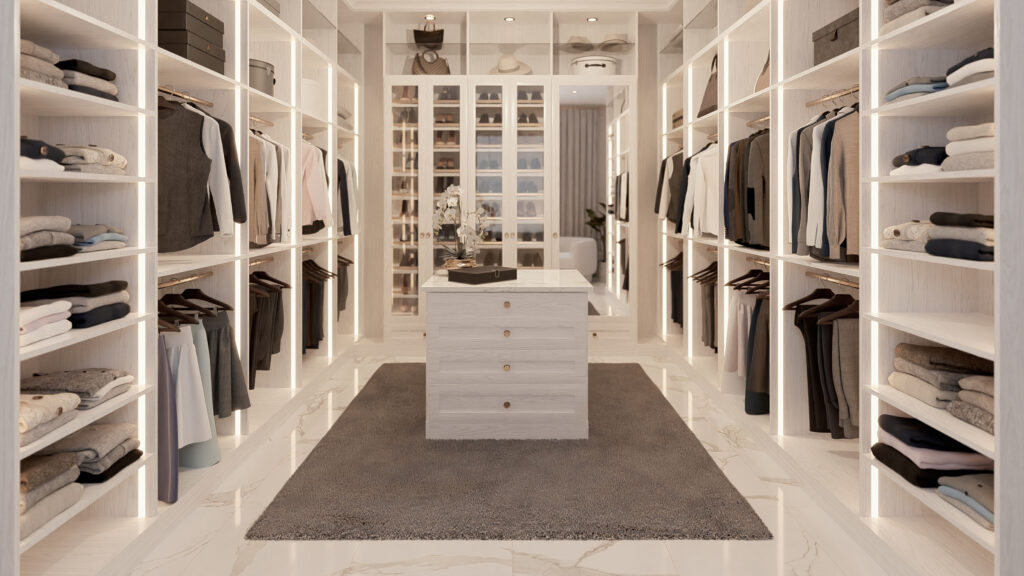
VORTEK Spaces’s closet design experience changes for the best in the new June 2026 update ! This update focuses on delivering a smoother and more enjoyable experience for closet designers and woodworkers. It also brings back fur materials for richer visuals, improves CAD imports, and includes multiple stability and rendering fixes.
What’s New in VORTEK Spaces?
| Area | What Changed |
|---|---|
| 🆕 Smarter Model Placement | Models now automatically attach and slide along closet rods for faster designing (Cabinet Vision only). |
| 🧵 Fur Materials | Fur appearance is back, with customizable color, length, and density for soft decorative elements. |
| 🧥 Smarter ClosetPro Import | Automatic ceiling creation and better floor sizing for more realistic imported projects. |
| 🥽 Virtual Reality | Improved overall performance and smoothness in VR walkthroughs. |
| ⚙️ Import System Reworks | Better stability and selection for Cabinet Vision, Chief Architect, and Mozaik projects. |
| 🐛 Bug Fixes and Improvements | Rendering fixes, Ultra Quality mode stability, UI refinements, and more. |
Faster Closet Styling with Automatic Rod Attachment
Placing clothing and accessories in closet projects just became significantly easier. The model placement system now automatically detects closet rods in projects imported from Cabinet Vision.
When placing a model — or even a group of models — simply moving your cursor along a closet rod will automatically attach and slide the items along it. This makes styling closets much faster and lets you focus on designing instead of tedious manual adjustments.
Note: Automatic rod attachment for projects imported from other CAD software will be added in a future update.
Fur Options Makes Their Return
Fur materials options are officially back in VORTEK Spaces, giving you more creative freedom for soft, tactile elements like rugs, cushions, and decorative accents.
When selecting any material, simply open their properties and search for the Appearance section, the “Switch to Fur” option adds a true 3D fur effect to any material. You can fine-tune the color, length, and density to achieve exactly the look you want.
Once a material is switched to fur, some appearance options may be hidden, as they are not applicable to fur-based materials.
More Reliable ClosetPro Imports
ClosetPro project imports have been refined to produce more consistent and presentation-ready results right from the start.
- Projects imported without a ceiling now automatically receive one.
Note: This behavior can be disabled under Settings > Import > GLTF/GLB > ClosetPro. - Floor dimensions are now adjusted on import to better match real-world proportions.
Smoother Virtual Reality Walkthroughs
Virtual Reality mode benefits from general performance optimizations, delivering smoother navigation and a more comfortable immersive experience for client walkthroughs.
Improved Project Imports Across CAD Softwares
- Chief Architect: Improved object selection in imported projects.
- Cabinet Vision: Fixed missing geometry under doors and windows in
.dxfimports. - Cabinet Vision: Resolved texture overlapping and flickering in certain projects.
- Materials: Fixed an issue preventing edits on incorrectly loaded materials.
- Mozaik: Added support for 8-bit textures.
Other Fixes & Improvements
- Fixed a crash that could occur on startup when Ultra Quality mode was enabled.
- Adding a viewpoint animation now automatically opens its properties panel.
- Fixed an issue where the “TRIAL VERSION” button was missing when signing in offline for trial users.
- Improved the appearance of “STUDENT VERSION” and “TRIAL VERSION” labels in videos.
- Added axis-based color coding for multiple material options, camera positions, and a new top-down view icon.
- Other fixes: UI buttons, project reassociation, translations, and minor stability improvements.
Frequently Asked Questions
Does automatic rod attachment work with all CAD software?
Automatic attachment to closet rods is currently available for projects imported from Cabinet Vision only. Support for additional CAD software is planned for a future update.
Where can I find the fur material options?
Fur materials are available for all materials under Properties > Appearance. From there, you can enable the fur effect and adjust its color, length, and density to match your design intent.
Can I try VORTEK Spaces for free?
Yes. VORTEK Spaces offers a free trial — no credit card required. Start your free trial →
How do I update to VORTEK Spaces?
Download the latest version directly from your VORTEK Spaces application, or check for updates on the VORTEK Spaces Microsoft Store page.
Get the Latest Version
Start your free 14-day trial — no credit card required →
Already a subscriber? See all plans and pricing → · Watch video tutorials →