
Top-Down Viewpoints, Sunset Lighting & Mozaik Improvements
Version 4.0.48145.0 · April 16, 2026 · All Users
VORTEK Spaces’s latest update, released April 16, 2026, introduces top-down viewpoints, a new “Interior Sunset” lighting preset, and significant Mozaik workflow improvements for cabinet makers, designers, and dealers. This update also strengthens login security, improves UI contrast throughout the application, adds new depth-of-field controls for more precise, professional renders and more.
What’s New in VORTEK Spaces?
| Area | What Changed |
|---|---|
| 🆕 Top-Down Viewpoint | Viewpoints now support top-down cutaway views. |
| 🆕 Sunset Lighting Preset | New “Interior Sunset” lighting preset. |
| 🆕 Go to Original Location | Jump back to a material or model’s source folder in one click. |
| ⚙️ Improved Mozaik Integration | Smarter import system, support for curved islands, doorless cabinets and more. |
| 🔐 Login System | Internet now required to sign in. |
| 🎨 UI Contrast | Improved contrast for menus, popups, text fields. |
| 📷 Depth of field | New focus distance & blur intensity controls. |
| 🌅 Skybox Favorites | Pin favorite skyboxes & IES profiles to the top of the list. |
| 🌿 Grass Rendering | Upgraded visuals and customization, visible in Ultra Quality mode. |
⚠️ Important: How Is the Login System Changing?
Starting with this update, VORTEK Spaces will require an active internet connection to sign in. This is a security improvement that prevents unauthorized access and strengthens license enforcement.
What this means for you:
- If you are already signed in, nothing changes — you can keep working normally, even without internet.
- If you are signed out, you will need an internet connection the next time you log in.
- Clearer error messages now explain exactly why a sign-in attempt fails, so you spend less time troubleshooting.
This change protects your account and ensures that licenses are used as intended. No action is required today — just be aware for your next login. For further concerns, please contact our support team.
What Are the New Top-Down Viewpoints?
You can now capture top-down cutaway viewpoints directly inside VORTEK Spaces. Our viewpoint technology has been updated to support top-down views for designers who want to show room layouts from above — without the ceiling blocking the view.
How to use it:
- Go to the Visit tab.
- Press the top-down view button to cut through the ceiling at your desired height.
- From this view, simply add a viewpoint — VORTEK Spaces will save the cut ceiling as part of the view.
In your presentation video, the camera will gradually transition into the overhead position, hold the top-down view, then smoothly dive back into the scene to continue to the next viewpoint. The result is a more dynamic, professional walkthrough that communicates spatial layouts clearly to clients.
What Is the New Sunset Lighting Preset?
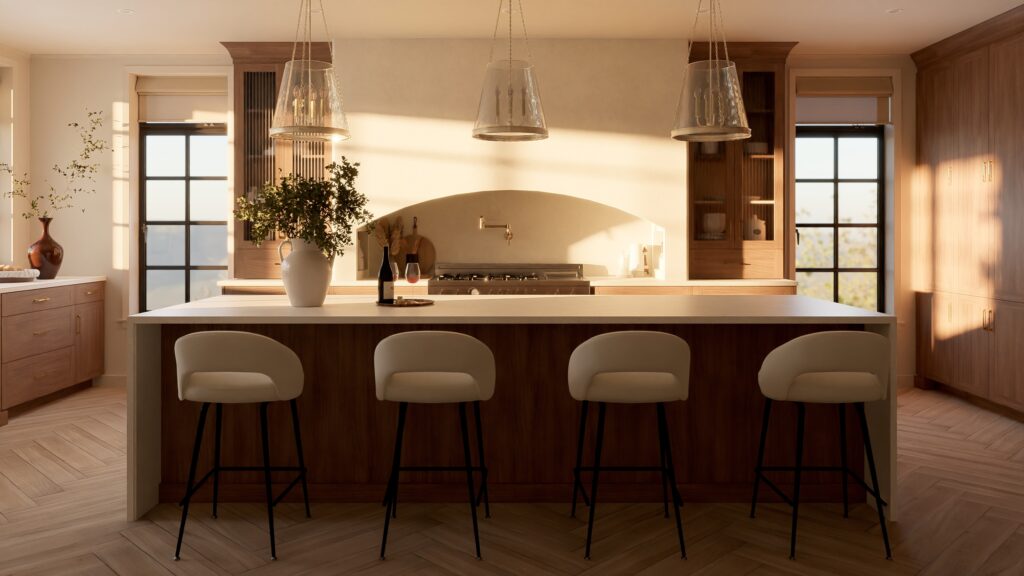
VORTEK Spaces now includes a third lighting preset: “Interior Sunset”. Alongside the existing day and night options, this warm end-of-day lighting mode lets you present the same space in a completely different emotional atmosphere — without manually adjusting a single light.
The sunset preset is also available inside the “Day/Night” transition animation for viewpoints, so you can create a three-stage lighting sequence (day → sunset → night) directly in your presentation video. This gives kitchen, bathroom, and closet designers a fast way to demonstrate how a design feels at different times of day, all from one project file.
What Is the “Go to Original Location” Feature?
You can now right-click on any asset from your personal library (“My Models” or “My Materials”) and select “Go to Original Location” to automatically navigate to the source folder where that item is located in your library — no searching, no manual browsing.
This feature is available from the “In design” and “Favorites” tabs. You don’t need to have the item selected first. For designers and cabinet makers managing large personal libraries, this small shortcut eliminates a recurring friction point and keeps your workflow moving.
What Mozaik Improvements Are Included?
This update contains the most comprehensive Mozaik update yet, addressing several issues reported directly by users.
Setup & Directory Management
If VORTEK Spaces cannot find your Mozaik installation on your C:\ drive, a new popup now guides you to either auto-scan your hard drive or manually locate your Mozaik.exe file. In case of location change, you can also update your Mozaik folder path manually under Settings > Import > Mozaik (DES).
Newly Supported Elements
- Curved kitchen islands and countertops
- Vertical countertops
- Cabinets without doors
Bug Fixes
- Corner furniture positioning corrected.
- Improved Mozaik material import.
- Fixed a bug that prevented opening a
.vokprojfile when the file was overwritten. - Better surface selection on surfaces with no assigned material.
- Improved compatibility with Mozaik v.13 and earlier.
What’s New in Expert Mode?
Depth of Field Customization
Expert Mode users now have full control over the depth of field effect in Visit > Camera Settings > Depth of field. New options include:
- Focus distance — set how far from the camera your subject stays sharp.
- Blur intensity — control how strong the out-of-focus effect appears.
- The “F” key shortcut returns, letting you adjust focus distance dynamically while navigating the project.
To access these settings, enable Expert Mode under Settings > Advanced.
Ambient Color Contribution Toggle
A new toggle in Staging > Ambient Settings > Ambient Light lets you turn off the color contribution of your design to the scene’s lighting. Disabling this can improve color fidelity for materials and 3D models in certain scenes.
How Has the Interface Improved?
The entire VORTEK Spaces interface has been reworked for higher contrast and clearer visual definition. Context menus, text fields, and popups are now sharper and easier to read. Borders have been added around key UI elements to better separate them visually.
Additional UI updates:
- Gallery: New filter buttons let you sort media by type — images, videos, or moodboard exports.
- 3D Model Animations: Improved icons for model animation states.
- User Profile: A “Renew Now” button lets you trigger a license renewal email with one click, directly from your profile. You can now also view your user profile while inside a project.
- Skybox Settings: Favorite any skybox or IES profile to always pin it to the top of your list. A new navigation bar also gives you more precise control over skybox movement.
- Welcome Screen: Refreshed to better reflect VORTEK Spaces’ color palette.
- Grout Options: The material grout menu has been redesigned for clarity.
What Rendering Improvements Are Included?
- Grass in Ultra Quality: Grass is now visible when rendering at Ultra Quality. New parameters in the Appearance section let you adjust grass length and density.
- Material & Model Rendering: Improved rendering for several assets including vehicles, Quantum Quartz surfaces, and ice materials.
Other Fixes & Improvements
- Touch screens: Improved pinch-to-zoom support on touch screens.
- Skybox Import: You can now import skybox files in
.exrformat. - 3D Model Replacement shortcut: Use Ctrl+H to toggle replacement mode on and off.
- Startup Fix: Resolved a bug where the app did not launch in fullscreen after a first-time installation.
- SketchUp: Fixed a bug preventing certain
.skpfiles from opening. - Packages: Stability improvements for package management.
- Collada Import: Faster import speed for Collada files without embedded images.
- Other fixes: Camera behavior,
.dxffiles, project scale, search, and selection.
Frequently Asked Questions
Q: Does the new login requirement affect me if I’m already signed in?
No. If you are currently signed in to VORTEK Spaces, you are not affected. The internet requirement only applies the next time you sign in after signing out. Users who remain signed in can continue working normally.
Q: How do I use the new top-down viewpoint feature?
In the Visit tab, press the top-down view button to cut the ceiling at your preferred height, then add a viewpoint. VORTEK Spaces saves the cut ceiling as part of that viewpoint. In your presentation video, the camera will automatically transition into and out of the overhead position.
Q: Is VORTEK Spaces compatible with Mozaik?
Yes. VORTEK Spaces integrates with Mozaik and version 4.0.48145 includes significant Mozaik improvements, including a smarter import system, support for curved islands, vertical countertops, doorless cabinets, and better compatibility with Mozaik v.13 and earlier.
Q: Where are the depth-of-field (DOF) settings ?
Go to Visit > Camera Settings > “Depth of field” section. You must first enable Expert Mode under Settings > Advanced.
Q: Can I try VORTEK Spaces for free?
Yes. VORTEK Spaces offers a free trial — no credit card required. Start your free trial →
Get the Latest Version
Start your free 14-day trial — no credit card required →
Already a subscriber? See all plans and pricing → · Watch video tutorials →